How to Check Your DirectX Version (and What It Really Means)
Windows says DirectX 12, your game says DX11 — which is it? Here's how to check your DirectX version, understand Feature Levels, and update the right way.
Press Win+R → type dxdiag → System tab → "DirectX Version" (Windows 10/11 = DirectX 12). What games actually use is the GPU's Feature Levels on the Display tab (12_2 = DX12 Ultimate). DirectX updates only through Windows Update; there is no standalone DX12 installer.
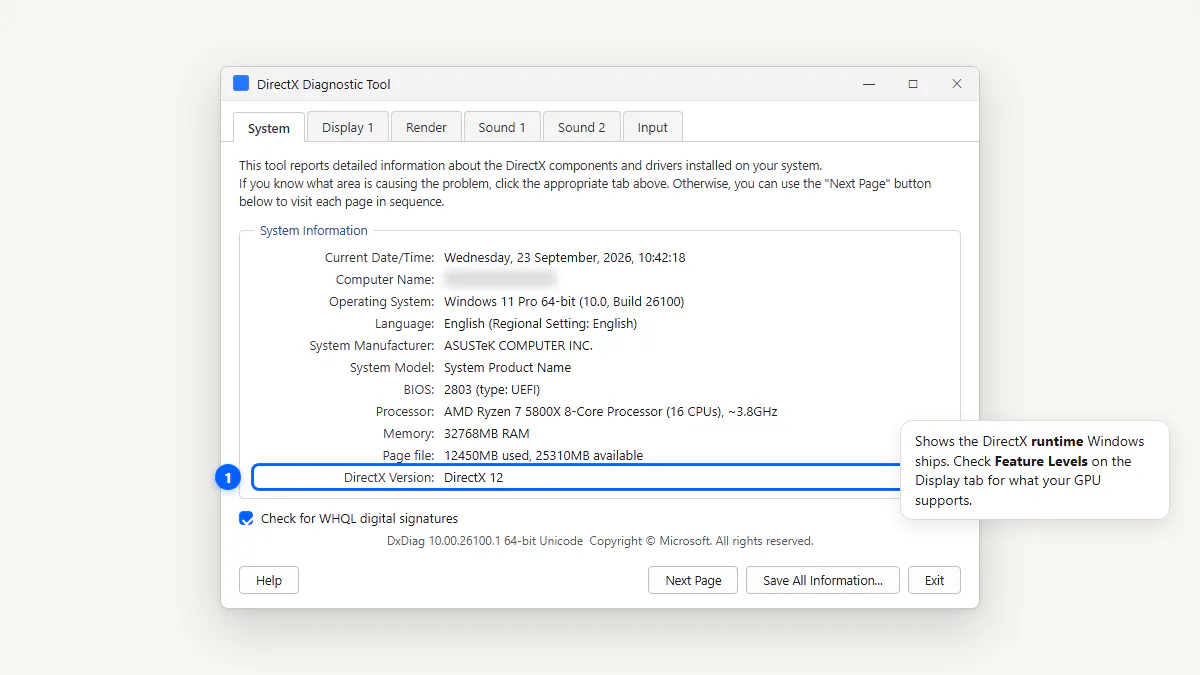
Check Your DirectX Version With DxDiag
- Press Windows + R, type
dxdiag, press Enter. - On the System tab, find the "DirectX Version" line.
- For your GPU's actual capability, click the Display tab and check the "Feature Levels" line.
What Is DirectX? A 60-Second Explanation
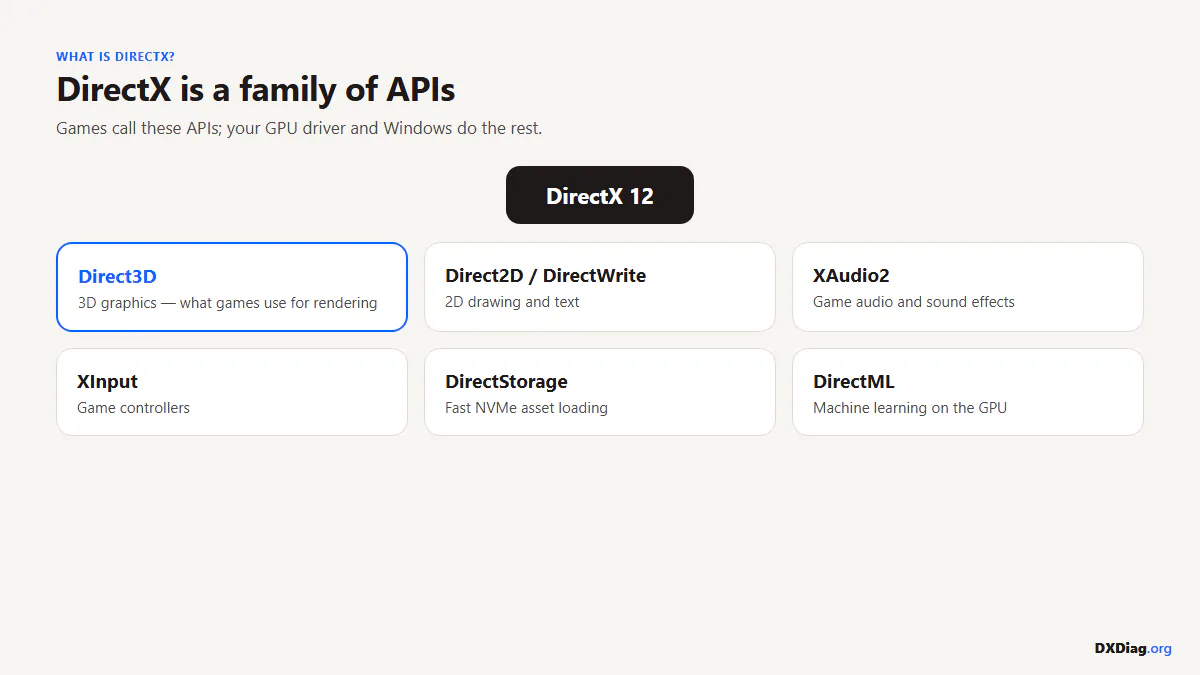
DirectX is a collection of APIs (application programming interfaces) that games and multimedia apps use to talk to your hardware. Instead of every game writing its own code to control your GPU, sound card, and controller, they use DirectX as a shared translator.
The main components:
- Direct3D — 3D graphics rendering (the most important for gaming)
- XAudio2 — audio processing (replaced the older DirectSound)
- XInput — game controller input (Xbox controllers and compatible)
- DirectStorage — fast asset loading from NVMe SSDs (new in DX12)
- DirectML — machine learning acceleration on the GPU
DirectX Version vs Feature Level: The Part Everyone Misses
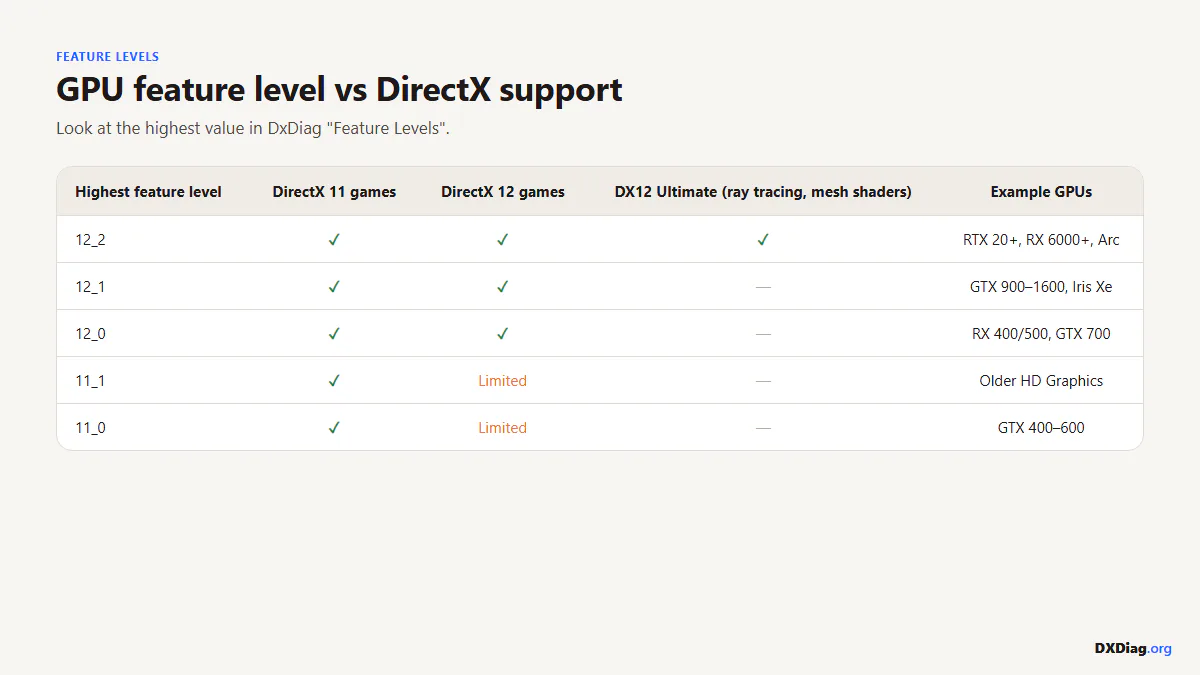
This is the most common point of confusion. The DirectX Version on the System tab shows what the operating system supports. The Feature Levels on the Display tab show what your GPU can actually run.
| Feature Level | DirectX Version | Example GPUs |
|---|---|---|
| 9_1 – 9_3 | DirectX 9 | Very old integrated GPUs |
| 10_0 – 10_1 | DirectX 10 | GeForce 8000 series, Radeon HD 2000 |
| 11_0 – 11_1 | DirectX 11 | GeForce GTX 400+, Radeon HD 5000+ |
| 12_0 – 12_1 | DirectX 12 | GeForce GTX 900+, Radeon RX 400+, Intel Gen9+ |
| 12_2 | DirectX 12 Ultimate | GeForce RTX 2000+, Radeon RX 6000+, Intel Arc |
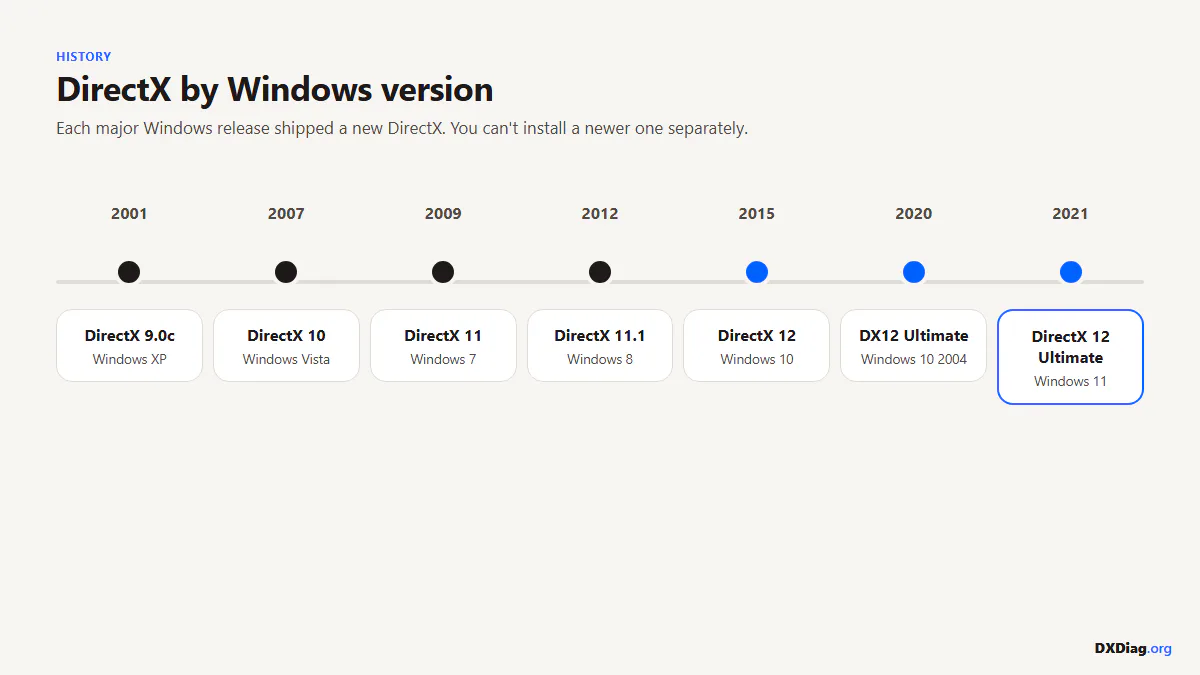
DirectX Versions by Windows Release
| Windows Version | DirectX Version | Year |
|---|---|---|
| Windows XP SP2+ | DirectX 9.0c | 2004 |
| Windows Vista | DirectX 10 | 2006 |
| Windows 7 | DirectX 11 | 2009 |
| Windows 8.1 | DirectX 11.2 | 2013 |
| Windows 10 | DirectX 12 | 2015 |
| Windows 11 | DirectX 12 (+ Ultimate) | 2021 |
Latest DirectX Version in 2026
As of September 2026, the latest version is DirectX 12, with DirectX 12 Ultimate being the highest tier (Feature Level 12_2). DirectX 12 Ultimate requires both a compatible GPU (RTX 2000+, RX 6000+, or Intel Arc) and Windows 10/11.
There has been no "DirectX 13" announcement. Microsoft continues to extend DX12 with new features through Agility SDK updates rather than incrementing the version number.
How to Update DirectX (the Only 2 Ways That Work)
There is no standalone DirectX 12 installer. The only two legitimate update paths:
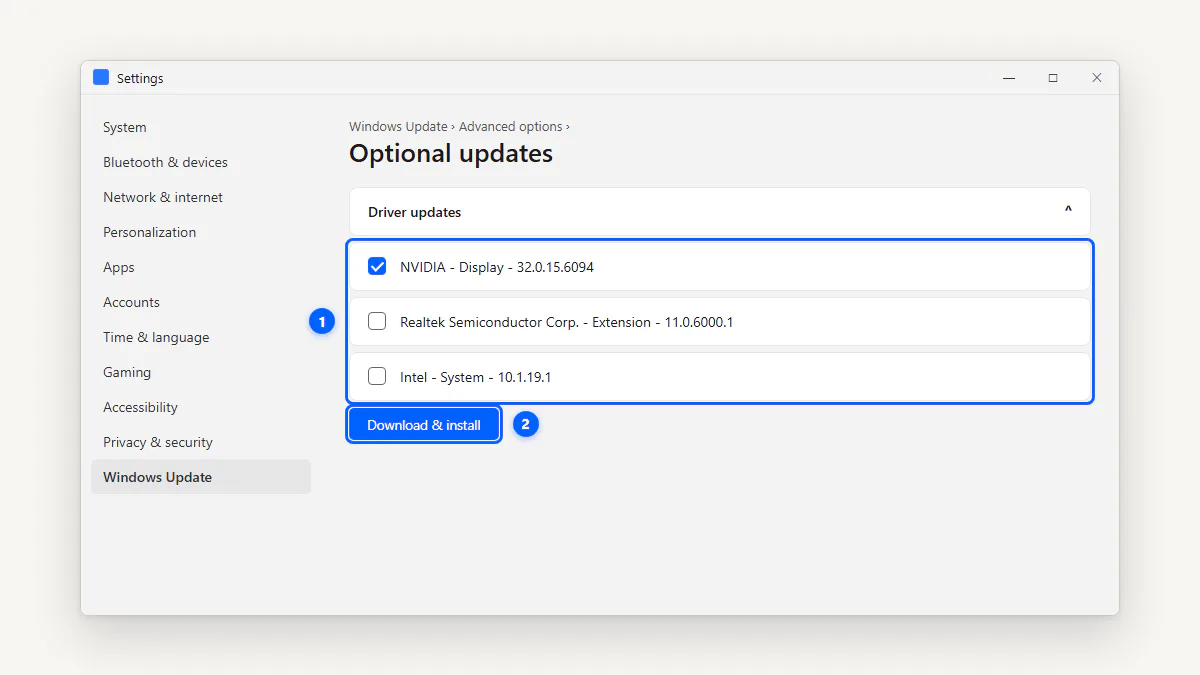
- Windows Update: Go to Settings → Windows Update → Check for updates. DirectX components update alongside Windows.
- GPU driver update: New GPU drivers from NVIDIA, AMD, or Intel often include updated DirectX components. Download from the vendor's official site.
For missing legacy DirectX 9 files (d3dx9, xinput1_3, etc.), install the DirectX End-User Runtime. For a full breakdown of download options, see the DirectX download options page.
Frequently Asked Questions
-
Press Win + R, type
dxdiag, press Enter. The DirectX Version line on the System tab shows your version. Windows 10 and 11 always show DirectX 12. -
Yes. Every copy of Windows 11 includes DirectX 12 by default. There's no separate installer — it's part of the operating system and updates through Windows Update.
-
DirectX updates come through Windows Update and GPU driver updates. There's no standalone DirectX 12 updater. Go to Settings → Windows Update → Check for updates.
-
DirectX 12 Ultimate is a branding that bundles four GPU features: hardware ray tracing (DXR 1.1), mesh shaders, variable rate shading, and sampler feedback. Your GPU needs Feature Level 12_2 to support all four.
-
Many pre-2015 games use legacy DirectX 9 helper libraries (D3DX, XInput 1.3, XAudio 2.7) that aren't included in modern Windows. Install the DirectX End-User Runtime to add them.
-
No. DirectX 12 requires Windows 10 or later. Windows 7 supports up to DirectX 11.1. Some DX12 games may run on Windows 7 with limited support, but this is game-specific and not guaranteed.
-
DirectX is a collection of APIs that games and multimedia apps use to communicate with your hardware. Direct3D handles 3D graphics, XAudio2 handles sound, XInput handles controllers, and DirectStorage speeds up asset loading from NVMe drives.
Related Guides
- Open DxDiag — full homepage guide
- DirectX download options
- Older DirectX files for legacy games
- Display tab — what every GPU field means