Download DirectX Safely: Which Installer Do You Actually Need?
Searching for a DirectX download? DirectX 12 is already on your PC. What you probably need is the legacy runtime for old games — or just a Windows Update. Here's how to tell.
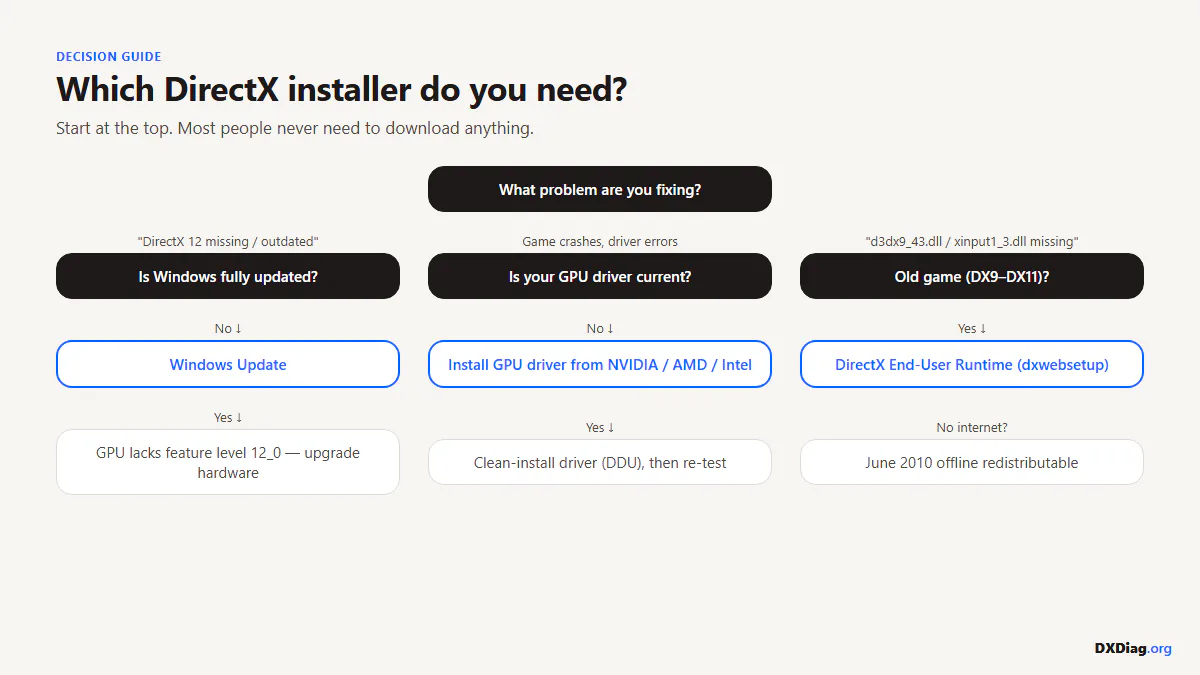
Windows 10/11 already include DirectX 12 — there's no DX12 download. For "missing d3dx9_xx.dll / xinput1_3.dll / XAudio2_7.dll" errors, install the DirectX End-User Runtime (web installer dxwebsetup.exe, or the June 2010 redist) from Microsoft. Otherwise, update DirectX through Windows Update and the GPU driver.
Which DirectX Download Do You Need?
| Your Situation | What to Get | Official Source |
|---|---|---|
| Windows 10/11, want latest DirectX | Run Windows Update | support.microsoft.com ↗ |
| Game says d3dx9_43.dll is missing | DirectX End-User Runtime | microsoft.com/download ↗ |
| Game says xinput1_3.dll is missing | DirectX End-User Runtime | microsoft.com/download ↗ |
| Need latest GPU driver | GPU vendor driver update | NVIDIA / AMD / Intel official sites |
| Offline install for multiple PCs | June 2010 Redistributable | microsoft.com/download ↗ |
DirectX 12 Download: Why There Isn't One
DirectX 12 is not a separate download — it's part of Windows 10 and 11. When you install or update Windows, you automatically get the latest DirectX 12 components. Microsoft does not offer a standalone DX12 installer.
If you're searching for a "DirectX 12 download," what you actually need is either:
- Windows Update — to get the latest DX12 runtime patches.
- A GPU driver update — to get the latest Direct3D 12 support for your graphics card.
Before doing anything, check which version you have first with DxDiag.
DirectX 11 and DirectX 9 Downloads for Older Games
Older games — especially those from before 2015 — often need legacy DirectX helper libraries (D3DX9, D3DX10, D3DX11, XInput 1.3, XAudio 2.7) that aren't included in modern Windows. These games ship error messages like "d3dx9_43.dll was not found."
The fix is the End-User Runtime web installer. It installs these legacy files without changing your DirectX 12 installation. See the dedicated guide for step-by-step instructions.
How to Install DirectX Step by Step
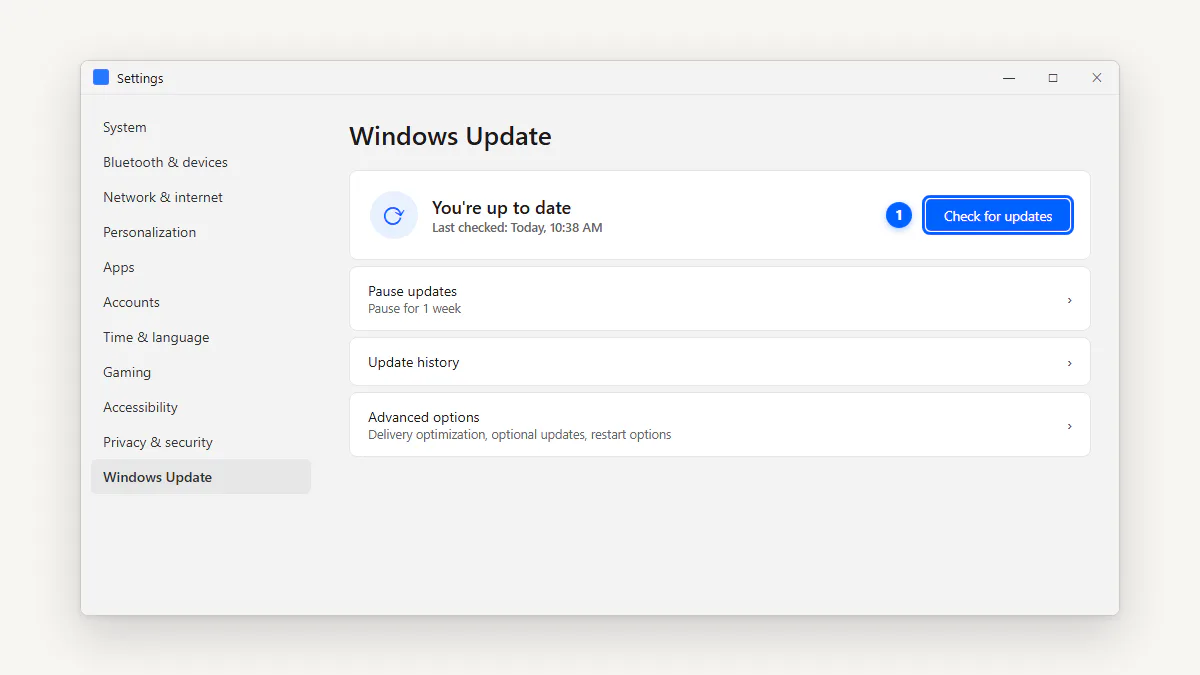
Path 1: Windows Update (DirectX 12)
- Open Settings → Windows Update.
- Click Check for updates.
- Install all available updates, including optional driver updates.
- Restart if prompted.
Path 2: End-User Runtime (Legacy Files)
- Download
dxwebsetup.exefrom Microsoft's Download Center ↗. - Run the installer. Accept the license agreement.
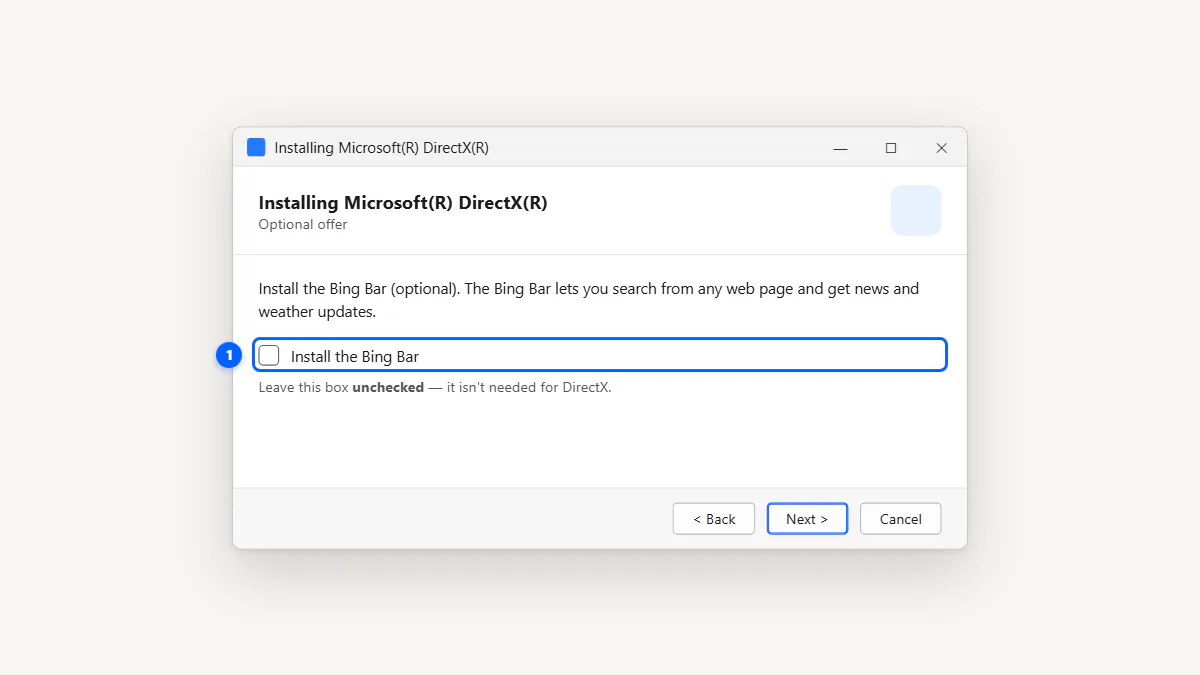
- Uncheck the optional Bing Bar (or whatever extra offer appears) on the next screen.
- Click Next and let it download and install the components (~100 MB).
- Restart the game.
DirectX Setup Errors and Fixes
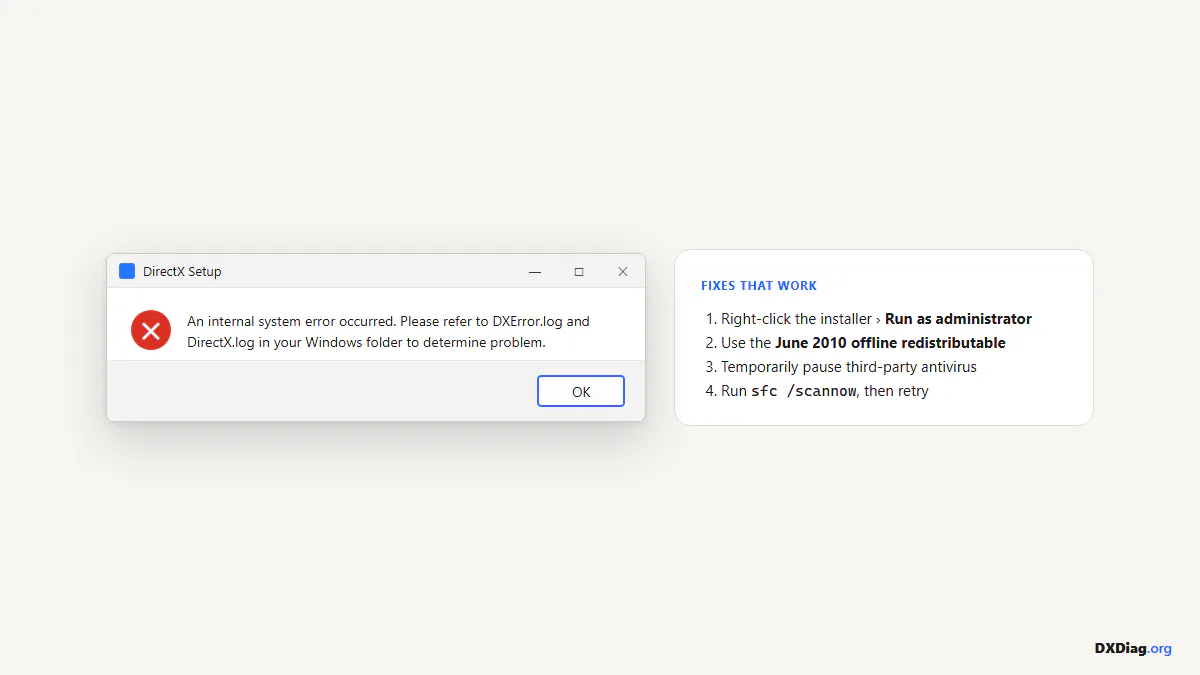
Common DirectX setup problems and solutions:
- "An internal system error occurred": Run the installer as Administrator. If that doesn't work, download the offline June 2010 redistributable instead of the web installer.
- "DirectX setup couldn't download the file": Your internet connection dropped during download. Use the offline installer or check your firewall settings.
- CAB file errors: The download was corrupted. Delete the installer, download it again from Microsoft, and retry.
Fake DirectX Download Sites: How to Spot Them
Searching "directx download" returns many unsafe results. Here's how to spot fakes:
- The URL isn't microsoft.com. The only official source is Microsoft's Download Center or Windows Update.
- It claims to offer "DirectX 12 download." There is no standalone DX12 installer.
- It asks you to install a "driver updater" or "DLL fixer." These are adware or malware.
- It has multiple large "Download" buttons. The real Microsoft download page has one clear download link.
Always go directly to microsoft.com/download ↗ and search for "DirectX End-User Runtime."
Frequently Asked Questions
-
DirectX is free and already included with Windows 10/11. For legacy DirectX 9 files, download the DirectX End-User Runtime from Microsoft's Download Center. There is no paid version of DirectX.
-
No. DirectX 12 ships with Windows 10 and 11. It updates automatically through Windows Update. There is no standalone DirectX 12 installer to download.
-
Yes. DirectX has always been free. It's part of Windows and updates through Windows Update. The End-User Runtime for legacy games is also free from Microsoft.
-
You can't uninstall and reinstall DirectX directly. To repair DirectX components, run
sfc /scannowand Windows Update. For missing legacy DLLs, install the End-User Runtime. -
No. DirectX is a core Windows component and can't be uninstalled. If it's corrupted, repair it with
sfc /scannowandDISM /Online /Cleanup-Image /RestoreHealth. -
Windows 7 includes DirectX 11. For legacy game files (D3DX9, XInput), install the End-User Runtime. DirectX 12 is not available for Windows 7.
Related Guides
- End-User Runtime web installer — step-by-step
- Check which version you have first
- DxDiag — full homepage guide